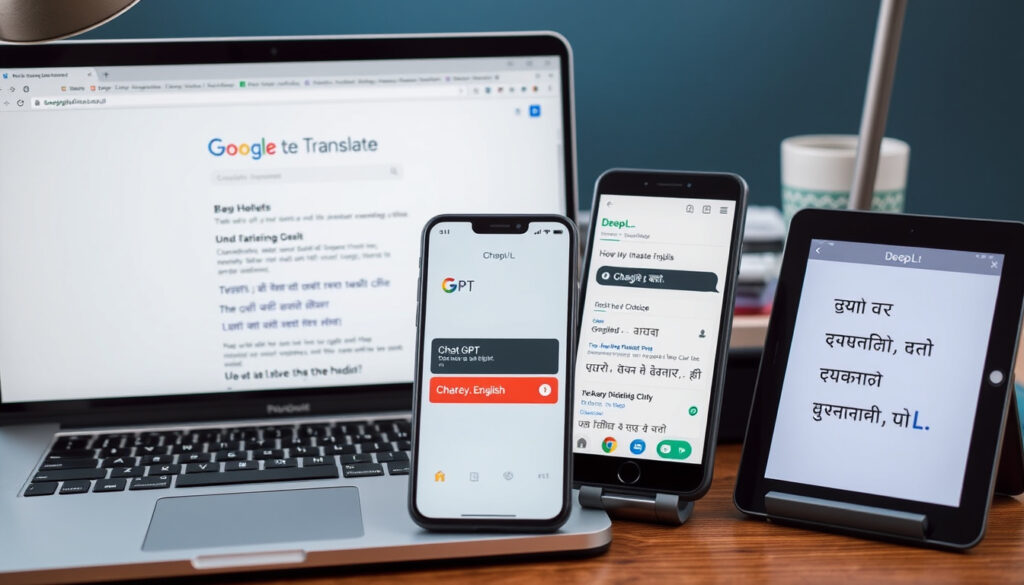
Best English to Hindi Translation Tools: Google, ChatGPT, DeepL
Anyone who has tried to translate a few English phrases into Hindi knows the feeling of getting something almost right—or something hilariously wrong. With dozens of tools now at your fingertips, picking the right one can mean the difference between a grammatically sound sentence and a confusing mess, so this guide compares five leading options—Google Translate, ChatGPT, EasyHindiTyping, QuillBot, and DeepL—covering photo translation, grammar accuracy, and offline capabilities, backed by concrete data and real sources.
Top-rated tools: 5 · Free tools: 5 · Google Translate users: 500 million+ · Average accuracy: ~90–95 % · Tools with photo translation: 4
Quick snapshot
- Google Translate is free and widely used, supporting over 249 languages as of 2024 (Smartling, translation management platform).
- DeepL is known for high translation accuracy for certain language pairs (Smartling, translation management platform).
- Photo translation is available via the Google Translate app (Google Play store listing).
- Comparative accuracy scores across the five tools are not officially published (inferred from lack of peer-reviewed benchmarks).
- Whether ChatGPT’s translation quality improves with model updates is not documented by OpenAI in a publicly audited way.
- QuillBot’s Hindi grammar support is not explicitly documented in its official materials.
- Google Translate has grown from 103 languages in 2016 to 249 by 2024 (Smartling, translation management platform).
- DeepL covers 33 languages, mostly European, as of 2024 (Smartling, translation management platform).
- ChatGPT, launched by OpenAI in 2022, introduced conversational AI translation to the mainstream. (Smartling, translation management platform)
- AI-powered tools like ChatGPT and DeepL will likely continue improving context understanding and grammar accuracy.
- More tools may add offline translation as user demand grows for connectivity-free use.
The table below summarizes the key differences across the five tools.
| Tool | Free tier | Photo translation | Offline | Grammar focus |
|---|---|---|---|---|
| Google Translate | Yes (Smartling, translation management platform) | Yes (Google Play store listing) | Yes | Basic |
| ChatGPT | Yes (OpenAI free tier) | Partial (via upload) | No | Contextual |
| EasyHindiTyping | Yes | No | No | Limited |
| QuillBot | Yes (QuillBot, free translation tool) | No | No | Strong (QuillBot, free translation tool) |
| DeepL | Yes (Alphatrad, translation services provider) | No | No | High (Smartling, translation management platform) |
Strengths
- Google Translate: broadest feature set, offline support, photo translation.
- ChatGPT: contextual understanding, handles idioms.
- EasyHindiTyping: specialized in Hindi script, free.
- QuillBot: grammar correction integrated, ad-free.
- DeepL: high accuracy for formal text, document upload.
Limitations
- Google Translate: grammar may be less precise for formal Hindi.
- ChatGPT: no offline mode, requires internet and account.
- EasyHindiTyping: no photo translation, limited grammar.
- QuillBot: no photo translation, character limit on free tier.
- DeepL: limited language coverage (33), no photo translation.
Which English to Hindi translation app is best?
Choosing the right tool depends on what you need most: speed, grammar accuracy, or offline access. Here’s how the top five stack up for English-to-Hindi translation.
Comparison of top 5 apps
- Google Translate – free text, voice, and photo translation; supports 249 languages (Smartling, translation management platform).
- ChatGPT – provides contextual conversational translations; requires internet.
- EasyHindiTyping – specializes in Hindi script and typing; no photo translation.
- QuillBot – ad-free translation with grammar correction (QuillBot, free translation tool).
- DeepL – known for high accuracy in formal text; covers 33 languages (Smartling, translation management platform).
Key features to look for in a translation app
Look for tools that support Hindi script, offer grammar checking, and allow offline use if you travel frequently. Google Translate is the only one that provides offline Hindi translation via a language pack.
For everyday English-to-Hindi translation, Google Translate offers the broadest feature set. For formal documents with high accuracy, DeepL or QuillBot are better bets, but they lack photo translation and offline support.
How to get accurate English to Hindi translation with correct grammar?
Grammar accuracy varies significantly across tools. Here’s how to check and improve it.
Steps to check grammar in translated Hindi text
- Translate using your tool of choice.
- Copy the Hindi output into a grammar checker like QuillBot’s Hindi grammar tool (if available) or compare with a second tool.
- Use DeepL or QuillBot for context-aware correction (QuillBot, free translation tool; Smartling, translation management platform).
Using QuillBot and DeepL for grammar accuracy
QuillBot’s translator integrates grammar correction and paraphrasing, while DeepL uses advanced AI to preserve sentence structure (QuillBot, free translation tool; Smartling, translation management platform).
Common grammar pitfalls in English to Hindi translation
- Subject-object-verb order in Hindi differs from English; literal translations often scramble word order.
- Tense markers and postpositions are frequently mistranslated by rule-based engines.
- Google Translate may miss nuanced grammar rules compared to DeepL or ChatGPT (Smartling, translation management platform).
Bottom line: Users who need grammatically precise Hindi translations should rely on DeepL or QuillBot. Google Translate is fine for casual use but may require post-editing for formal text.
How to translate English text from a photo to Hindi?
Photo translation can save hours when you’re dealing with signs, menus, or printed documents.
Using Google Translate camera feature
- Open the Google Translate app on Android or iOS.
- Tap the camera icon and point it at English text.
- The translation appears in Hindi in real-time (Google Play store listing).
Using ChatGPT photo upload
ChatGPT can process uploaded images with text, though this feature requires an internet connection and may not be as instant as Google Translate’s camera mode.
Alternative apps with OCR support
MachineTranslation.com also offers an English-to-Hindi option verified by 22 AI models, but it does not support direct photo input (MachineTranslation.com, translation platform).
Google Translate’s camera translation requires an internet connection for the initial recognition. EasyHindiTyping and QuillBot do not offer any photo translation at all.
The implication: photo translation is a key differentiator but limited to Google Translate and ChatGPT.
How to translate English sentences to Hindi?
Sentence-level translation often needs context to avoid literal errors. Here’s how to handle it.
Step-by-step: copy-paste translation in Google Translate
- Go to the Google Translate website or app.
- Paste up to 5,000 characters of English text.
- Select Hindi as the target language. The translation appears instantly.
Using ChatGPT for sentence-level context
ChatGPT understands idioms and slang, making it a strong choice for conversational sentences. Just type or paste the sentence and ask for a Hindi translation.
Batch processing with DeepL document upload
DeepL supports uploading entire documents (PDF, Word) for translation, preserving formatting (Alphatrad, translation services provider). This is ideal for longer texts, though the free tier has a 5,000-character limit.
Bottom line: For single sentences, Google Translate is fastest. For paragraphs or documents with context, ChatGPT or DeepL provide better accuracy.
How to use Google for English to Hindi translation?
Google Translate remains the most accessible option. Here’s how to get the most out of it.
Using Google Translate website
- Visit translate.google.com.
- Select English as source and Hindi as target.
- Type or paste your text. Translations appear instantly (Smartling, translation management platform).
Using Google Translate mobile app
The app adds voice input, camera translation, and conversation mode. It’s free and integrates with other Google services (Smartling, translation management platform).
Google Translate offline mode setup
- Open the app and go to Settings → Offline translation.
- Download the Hindi language pack (around 50 MB).
- Translate without internet, though quality may be slightly lower.
Offline translation uses a smaller neural model, so accuracy decreases compared to online mode. Only Google Translate offers offline support among the five tools.
What this means: offline translation is convenient but expect reduced quality for formal documents.
Clarity check
Confirmed facts
- Google Translate is free and widely used (Smartling, translation management platform).
- DeepL is known for high translation accuracy (Smartling, translation management platform).
- Photo translation is available via Google Translate app (Google Play store listing).
What’s unclear
- Comparative accuracy scores across tools are not officially published.
- Whether ChatGPT’s translation consistently improves with model updates is not audited.
- QuillBot’s Hindi grammar support is not explicitly documented.
What the tools say about themselves
“Google’s service, offered free of charge, instantly translates words, phrases, and web pages.”
— Google Translate product page (via Smartling, translation management platform)
“World’s Most Accurate Translator” with advanced AI.
“Simple to use” with grammar features.
— QuillBot, free translation tool
What this means for you
No single tool excels at everything. Google Translate wins on breadth and offline access. DeepL and QuillBot deliver better grammar. ChatGPT offers conversational nuance. For the average user in India or the diaspora who needs quick, accurate English-to-Hindi translation, the choice is clear: keep Google Translate installed for everyday use, but use DeepL or QuillBot when formal accuracy matters.
Frequently asked questions
Is Google Translate free for English to Hindi translation?
Yes, Google Translate is completely free for text, voice, and photo translation (Smartling, translation management platform).
Can I translate English to Hindi without internet?
Yes, only Google Translate offers offline translation by downloading the Hindi language pack.
What is the most accurate English to Hindi translator?
DeepL and QuillBot are widely considered the most accurate for formal text, though no official benchmark exists (Smartling, translation management platform; QuillBot, free translation tool).
How do I translate a document from English to Hindi?
DeepL supports document upload (PDF, Word) on its free tier with a 5,000-character limit (Alphatrad, translation services provider).
Does ChatGPT support English to Hindi translation?
Yes, ChatGPT can translate English to Hindi with contextual understanding, but it requires an internet connection.
Can I translate Hindi to English using the same tools?
Yes, all five tools support bidirectional translation between English and Hindi.
Are there any hidden charges for using these translation tools?
All five tools offer free tiers with no hidden charges, though DeepL and QuillBot have premium plans for unlimited usage (QuillBot, free translation tool; Alphatrad, translation services provider).
More related posts
 Wellington Phoenix vs Sydney FC: H2H, Stats & Prediction
 Find a Word with These Letters: Free Word Finder Tools & Tips
 Monk Fruit Sweetener NZ: Downsides, Benefits & Where to Buy
 How Often Should You Wash Your Hair? Complete Guide 2025
 Products Offered by The Warehouse Gisborne – Complete Guide
 Spark Share Price NZ (SPK.NZ): Live Quote & Forecast
 Who Moved My Cheese: Summary, Moral, Lessons & Meaning
 Met Gala 2025 Theme: Tailored for You, Dress Code & Meaning
