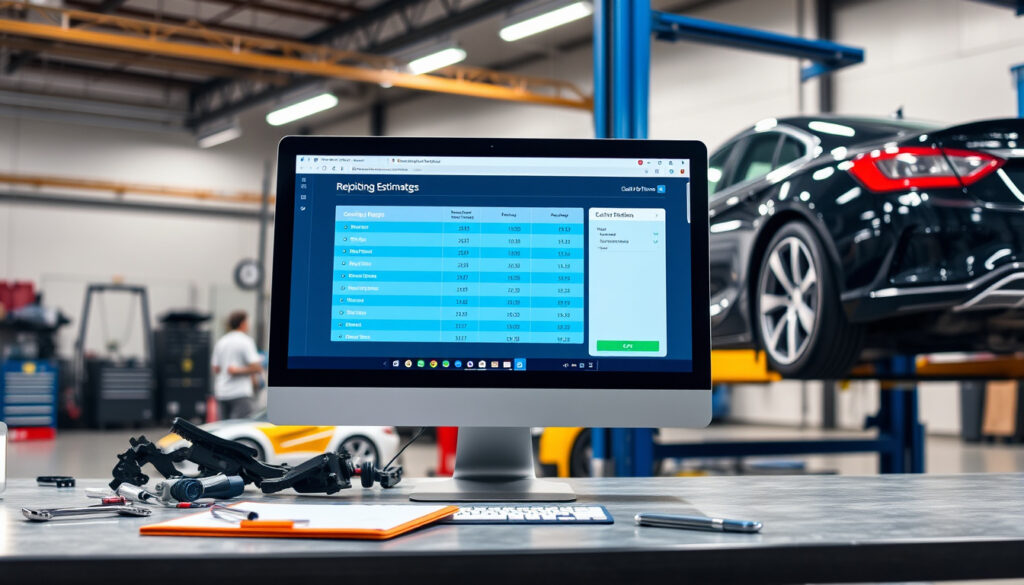
Best Auto Repair Estimating Software: Free & Paid Options
Choosing the right estimating software for your auto repair shop can feel like a maze of price tags and feature lists – every vendor promises speed and accuracy, but the real question is which tool actually fits the way you work. This guide cuts through the marketing to compare the top platforms based on what independent shop owners and technicians report, so you can decide without vendor spin.
Common Estimating Platforms: Audatex, CollisionLink, Mitchell1, ALLDATA ·
Average Monthly Cost Range: $50–200 per month ·
Percentage of Shops Using Software: Over 75%
Quick snapshot
- Mitchell1 Manager SE integrates estimating, shop management, and repair data (Tekmetric, a shop management software vendor).
- ALLDATA Estimator is web-based and helps create estimates compliant with state regulations (ALLDATA, a repair data provider).
- Audatex is the industry standard for collision estimating, used by insurers (Revv, a collision-repair guide publisher).
- The best free solution is debated among shop owners.
- Long-term cost savings of cloud vs. desktop are not fully quantified.
- ALLDATA Estimator page last updated in 2026 (ALLDATA).
- Torque360 page dated June 2026 (Torque360, an auto repair software vendor).
- Expect more cloud-native tools with AI-assisted estimate generation.
- Integration with insurance DRP (Direct Repair Program) platforms will expand.
Six key facts, one pattern: the market splits between full-featured management suites and pure estimating tools, with pricing that often surprises smaller shops.
| Attribute | Value | Source |
|---|---|---|
| Common Estimating Platforms | Audatex, CollisionLink, Mitchell1, ALLDATA | Revv collision-repair guide |
| Torque360 monthly price | $99.99/month | Torque360 features page |
| ABF Collision Estimator price | $33/month (annual prepay $395) | ABF Systems, a collision estimating vendor |
| ALLDATA Estimator compliance | State-estimate compliant | ALLDATA estimator page |
| Orderry estimated features | Service/labor records, set durations, cost/price bundles | Orderry, an auto repair software provider |
| Web-Est position | Logic-based collision repair estimating | Software Advice, a software review platform |
What is the best estimating software for auto repair?
Which platforms are considered top-tier?
The category leaders are Mitchell1 Manager SE, ALLDATA Estimator, Workshop Software, and Audatex. Each serves a distinct slice of the auto repair market, from general mechanical work to collision repair. Mitchell1 and ALLDATA are well-established with decades of use. Audatex dominates collision repair because its database is the default for many insurance companies (Revv collision-repair guide). Workshop Software is a newer, cloud-based contender designed for small to medium shops.
- Mitchell1 Manager SE – integrated estimating, shop management, and repair data (Tekmetric, a shop management software vendor).
- ALLDATA Estimator – web-based, no local install, state-compliant estimates (ALLDATA, a repair data provider).
- Workshop Software – cloud-based, affordable for small shops, easy to use (Tekmetric affordability guide).
A shop that picks the wrong platform can waste thousands on unused features. For a typical three-bay independent shop paying $150/month, the wrong choice costs $1,800 annually in sunk subscription fees.
How do the leaders compare on price and features?
Two tables, one pattern: the richer the feature set, the higher the monthly price – but the gap between pure estimating and all-in-one is narrowing.
| Platform | Price (per month) | Key Differentiator |
|---|---|---|
| Mitchell1 Manager SE | $150–200 est. | Full shop management with OneFlow Estimator |
| ALLDATA Estimator | $100–150 est. | Web-based, repair database integrated |
| Workshop Software | $99 | Cloud-native, small shop friendly |
| Audatex | $175–250 est. | Collision/DRP focused, insurance-grade |
Sources: Torque360 pricing page, Spendbase comparison.
The pattern: advanced collision and DRP-focused platforms cluster around $175–$250 per month (Spendbase), while general repair tools often start under $100.
The implication: the choice between integrated suites and pure estimators ultimately depends on whether your shop needs comprehensive management or just accurate estimates.
Is there free estimating software for auto repair?
What limitations do free versions have?
Most so-called “free” estimating software is actually a limited trial or a stripped-down version with capped estimates, no updates, or no customer support. No major vendor offers a perpetually free tier. For example, Torque360 and ALLDATA both offer time-limited trials (Torque360), but the free period ends after 14–30 days.
Are there reliable open-source options?
Community editions like OpenAutoRepair exist but lack integration with commercial labor and parts databases. Without those databases, estimates can be off by 20–40% compared to shop-grade tools. No open-source solution has gained traction among professional shops (Software Advice Web-Est profile).
A “free” tool that can’t pull real-time parts pricing or labor times will cost you more in misquotes than a $99/month subscription that gets it right the first time.
The trade-off: free trials let you test, but perpetually free options require manual data entry — and manual errors.
How to download estimating software for auto repair?
What are the steps to install a typical solution?
- Identify your shop’s needs (estimating only or full shop management).
- Choose a platform: cloud-based (no download) or desktop (requires installation).
- For cloud solutions like ALLDATA Estimator or Workshop Software, sign up on the vendor’s website. No download needed — access via browser.
- For desktop tools like Mitchell1 Manager SE, purchase or start a trial, then download the installer from the provided link.
- Run the installer, enter your shop details, and configure preferences (labor rates, parts markup).
Which platforms require a dealer or reseller?
Some enterprise-grade systems (e.g., CCC ONE, as noted by Revv) usually require a sales consultation and custom setup. Most products aimed at independents (Torque360, ABF, Orderry) allow self-service sign-up and download within minutes (ABF Systems notes its estimator requires Windows and is available for quick download after purchase).
Typical setup time is 30 minutes to 2 hours, depending on the complexity of your shop’s parts catalog and labor rates.
Cloud tools eliminate installation headaches, but if internet drops during a busy estimate session, your whole shop stops. A local install acts as a buffer.
The implication: for shops with unreliable internet, a desktop tool provides a safety net that cloud tools cannot match.
Which estimating software do body shops use?
Is body shop estimating different from general auto repair?
Yes — collision estimating involves structural damage assessment, OEM part sourcing, paint and materials calculations, and often compliance with insurance Direct Repair Programs (DRPs). General mechanical repair estimating focuses on labor, standard parts, and diagnostics.
What features are specific to collision repair?
- Integration with insurance platforms (CCC ONE, Audatex).
- OEM part pricing and availability from multiple suppliers.
- Measurement-to-scope documentation for structural repairs.
- Hail damage estimation models (WifiTalents auto body estimating guide).
Body shops often rely on Audatex for insurance-grade estimates, while CollisionLink handles parts pricing and procurement (Revv guide). ALLDATA Estimator also serves collision workflows by allowing parts and labor costs to be pulled from ALLDATA Repair.
The implication: if collision is your primary business, a general mechanical estimator will leave gaps. Invest in a tool that speaks the language of DRP and OEM parts.
What is the best auto repair software for small businesses?
Which tools offer affordable pricing for small shops?
Workshop Software and ShopKey are popular for small operations. Mitchell1 offers a scaled-down version, while ALLDATA Estimator’s web-based model eliminates server costs. For shops under five bays, the sweet spot lies between $50 and $150 per month (Tekmetric affordability guide).
Do free or low-cost options provide enough functionality?
Free trials allow testing before committing. ABF’s $33/month estimator is the cheapest collision-specific option, but it lacks shop management features (ABF Systems). Orderry starts at a similar range and includes service records and bundles for repeat jobs (Orderry).
The pattern: small shops that grow quickly often find themselves needing to upgrade to a full management suite, so consider scalability from the start.
Upsides of dedicated estimating software
- Faster, more accurate estimates with labor time databases.
- Parts pricing pulled from real-time catalogs.
- Auto-generated invoices and job estimates.
- Cloud access from shop floor to office.
Downsides of dedicated estimating software
- Monthly subscription costs add up, especially for collision-focused tools.
- Learning curve for staff unfamiliar with digital estimates.
- Database updates require ongoing fees.
- Some tools lock you into proprietary data formats.
Clarity check: what we know and what’s still fuzzy
Confirmed facts
- Mitchell1 and ALLDATA are well-established with decades of use (Tekmetric guide).
- Audatex is dominant in collision repair (Revv guide).
- Torque360 starts at $99.99/month and ABF at $33/month (Torque360, ABF Systems).
What’s unclear
- The best free solution is debated among shop owners — no clear winner has emerged.
- Long-term cost savings of cloud vs. desktop are not independently quantified.
- How daily active user counts compare between platforms is not publicly available.
The takeaway: while market leaders are clear, the data gap on long-term costs and user stickiness means shops should rely on trials rather than vendor claims.
What auto repair professionals are saying
“We use ALLDATA Estimator for our mechanical side and Audatex for collision. Having two tools is a pain for cross-referencing, but each does its job well.”
– Reddit user (auto body shop employee) in a thread about repair estimate software experience
“The collision estimating software market is dominated by CCC ONE, Mitchell, and Audatex – but newer cloud-only options are starting to gain traction because they don’t require expensive on-premise servers.”
– Revv collision-repair guide (2025)
The pattern: professionals consistently value specialization over all-in-one solutions, but desire better integration between separate tools.
For an independent shop owner, the choice ultimately comes down to your revenue mix: if collision work makes up more than 30% of your business, an Audatex or CCC ONE subscription (around $200/month) pays for itself in accurate, insurance-compliant estimates. For general repair shops, a cloud-based tool like ALLDATA Estimator or Workshop Software (under $100/month) delivers the best balance of cost and capability. Trying before buying with a 14–30 day trial is non-negotiable — the tool that fits your workflow will save you more in time than the price difference.
Related reading: Best Auto Estimating Software for Collision Repair (Comparison Guide) · Auto Repair Estimating Software – Features & Pricing
wifitalents.com, tekmetric.com, drivehq.com, play.google.com, reddit.com
Frequently asked questions
Does estimating software integrate with QuickBooks?
Can I use estimating software on a mobile device?
How often are pricing databases updated?
Do I need separate software for parts ordering and estimating?
What training is required for staff to use estimating software?
Is cloud-based estimating software secure for customer data?
How do I migrate from one estimating software to another?
More related posts
 Lodge Cast Iron NZ – Buying, Prices and Care Guide
 Otago Southland Heavy Snow: Forecast & Warnings
 Orphan X Books in Order: Complete 2025 Guide
 Nintendo Switch 2 Price: MSRP, Bundles & Best Deals
 Burger King Lower Hutt: Menu, Prices, Phone & Address
 Auckland Barrister Jack Oliver-Hood Drowns at Hāhei Beach
 Places to Eat in Auckland: Best Restaurants, Local Favorites & Hidden Gems
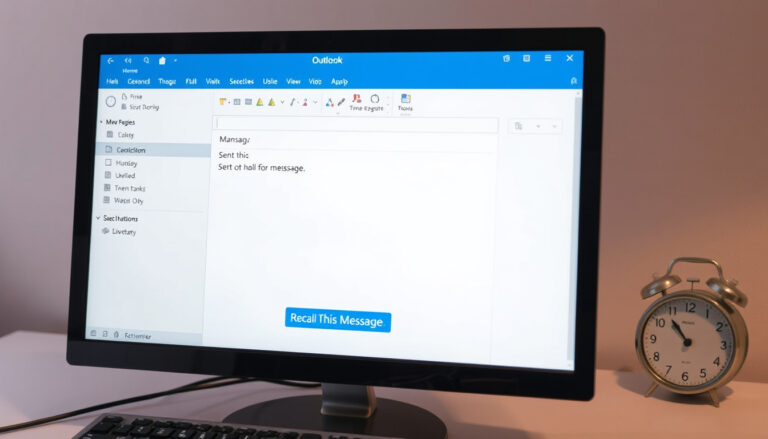 How to Recall an Email in Outlook: Steps and Limits
